Mechanical keyboard sounds for the Linux terminal
- Platform
- Linux
- Language
- Go
- Source
- github.com/manish-mehra/govibes
- Tags
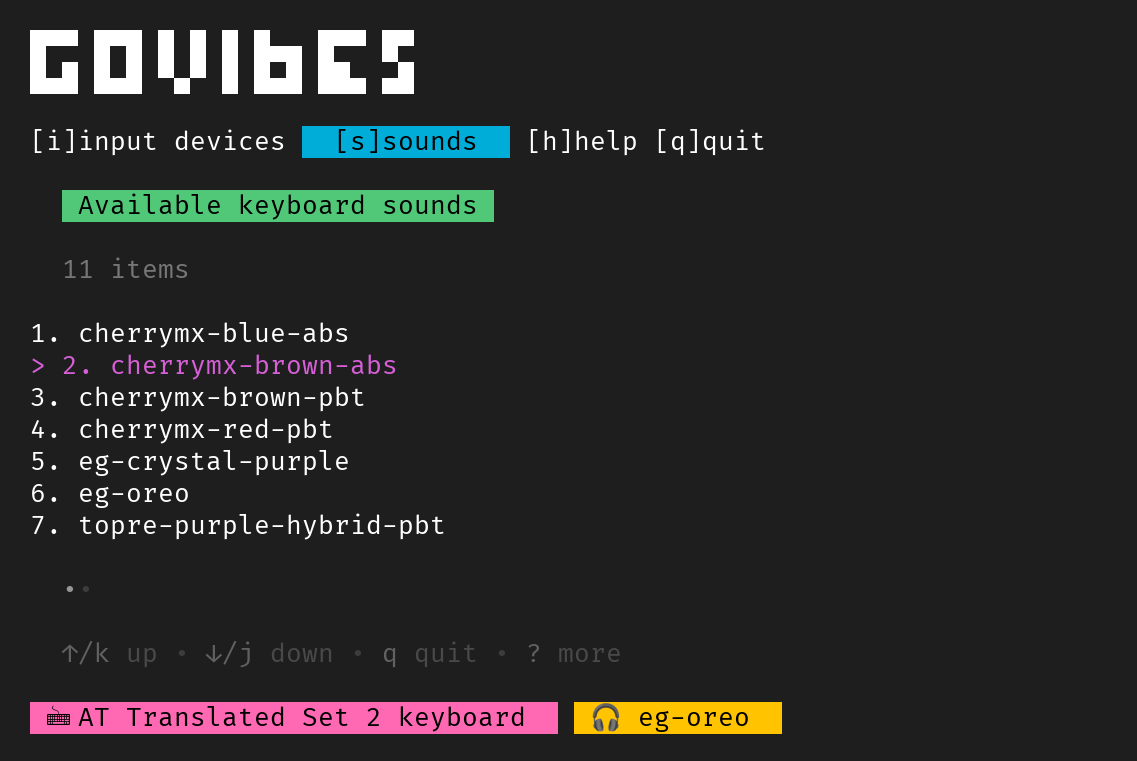
Overview
A command-line tool that plays mechanical keyboard sounds as you type. It's a Linux rewrite of Mechvibes, which does the same thing as a desktop app.
Why I built it
When I switched to Linux as my main operating system, Mechvibes stopped working for me because of issues with Wayland. It was also an Electron app, which used a lot of memory for something that only needs to play a short sound on each keypress.
So I wrote my own as a small Go program. It was also the first command-line tool I built.
How it works
- Keyboard input: it finds keyboards by reading
/proc/bus/input/devices, then listens to the chosen device's event file in/dev/input/. This happens below the display server, so it doesn't depend on X11 or Wayland. - Sound: each sound is a folder with a config JSON and a sound file. On each keypress, the tool plays the matching sound through SoX.
- Preferences: the last keyboard and sound are saved to a preferences file, so
defaultcan restore them. - Interface: running it with no arguments opens an interactive terminal UI built with Bubble Tea and Lip Gloss. Arguments run it as a plain command instead.
Switching sounds
The listener for a sound runs in its own goroutine. Switching to another sound cancels the previous one through a context before starting the next, so two sounds never play at once. This is the core of the function (trimmed):
func PlaySound(keyboardSound string, keyboardPath string) {
	configPaths, err := lib.GetConfigPaths(paths[keyboardSound])
	if err != nil {
		panic(err)
	}
	// stop the previous sound's listener
	if cancel != nil {
		cancel()
	}
	ctx, cancel = context.WithCancel(context.Background())
	go lib.ListenKeyboardInput(ctx, configPaths.ConfigJson,
		configPaths.SoundFilePath, keyboardPath)
}
Commands
The entry point checks the first argument. With none, it starts the interactive UI:
args := os.Args[1:]
if len(args) == 0 {
	ui.Ui_Main() // interactive mode
} else {
	switch args[0] {
	case "help":    // print usage
	case "sounds":  // list available sounds
	case "default": // replay the last used keyboard and sound
	default:        // a sound name: play it on the saved keyboard
	}
}| Command | What it does |
|---|---|
govibes | Opens the interactive mode |
govibes sounds | Lists the available sounds |
govibes <sound> | Plays the named sound |
govibes default | Plays the last used sound |
Limitations
- Linux only, since it relies on
/procand/dev/input. - It needs read access to the keyboard's event file, which may need
sudoor the right group permissions. - Playback needs SoX installed. Install steps are in the README.